Displaying embedded notes directly below tasks and sections in reports
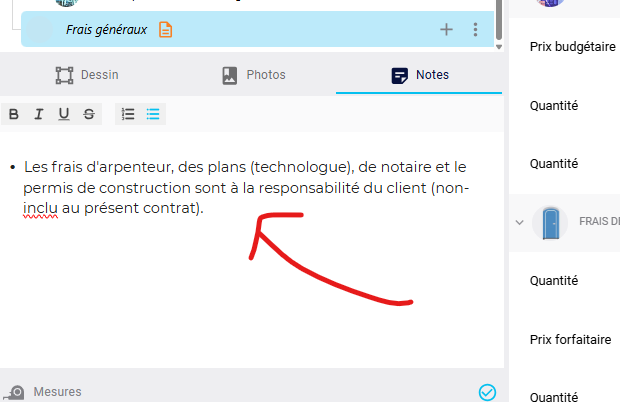
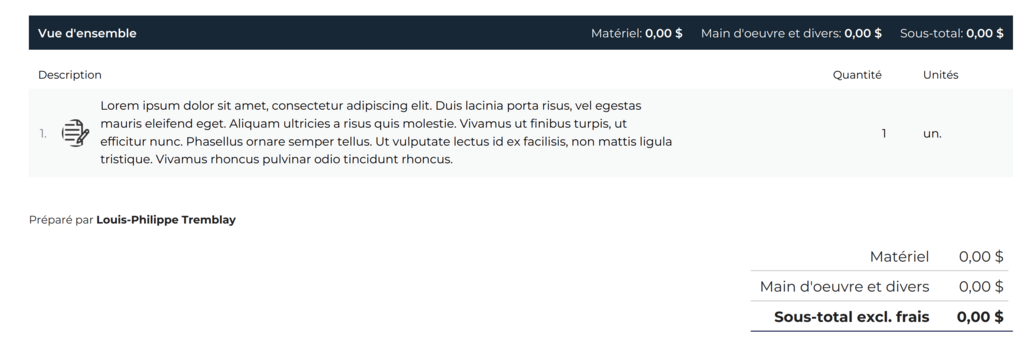
Several users have requested the ability to add notes, clarifications, or detailed descriptions that appear directly below specific tasks, assemblies, or sections in the PDF submission/report, rather than at the end of the document or in an appendix. Currently, depending on the selected grouping method (e.g., by category), notes may appear disconnected from the item they describe or be unnecessarily repeated, making the document harder for the end client to read. This feature would allow the explanatory text to be directly linked to the corresponding elements, resulting in clearer estimates.
Status: Planned
Log in to comment and vote
No comments yet
Be the first to share your thoughts.